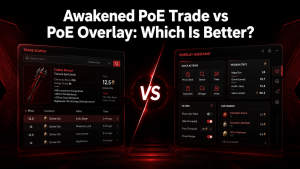
What Awakened PoE Trade is and who it’s for
Awakened PoE Trade is a third-party overlay tool designed for Path of Exile players who want faster and easier item price checking. It allows users to inspect items in-game, search their value on trade websites, and quickly understand the market price without manually copying item details.
The tool reads item information from the game clipboard and displays relevant trade data via an overlay interface. This helps players make faster decisions when looting, crafting, buying, or selling items.
Awakened PoE Trade is mainly useful for players who participate in the trade economy of Path of Exile. It is especially helpful for players who need quick price estimates for rare items, unique items, currency, and crafted gear.
The tool is commonly used by both new and experienced players because it reduces the time required to check item values. Beginners can use it to learn the approximate worth of drops, while advanced players can use it to speed up trading and crafting decisions.
Awakened PoE Trade does not automatically modify the game or perform actions for the player. It serves as an informational tool that provides trade-related details while leaving final decisions to the user.
What the tool does and core use cases
Awakened PoE Trade helps Path of Exile players quickly check the value of items without leaving the game. It reads copied item information and provides trade searches, price estimates, and market details through an easy-to-use overlay.
The tool is mainly used for checking rare items, unique gear, currency values, crafted items, and other tradeable resources. It helps players decide whether to sell, keep, further craft, or use an item in their own build.
Who benefits most (traders, flippers, streamers, bulk sellers, casual players)
Awakened PoE Trade is useful for different types of Path of Exile players. Traders and flippers can quickly compare market prices and find profitable opportunities, while bulk sellers can manage large numbers of items more efficiently.
Streamers and experienced players often use it to speed up item evaluations during gameplay. Casual players also benefit because it helps them understand item value without needing deep knowledge of the trade market.
Key features and how they help trading
Awakened PoE Trade includes several features designed to make item trading faster and more convenient. These tools reduce the time spent searching websites manually and provide useful market information directly while playing.
Instant price checks and market queries
The instant price check feature allows players to evaluate items by copying their details and opening a quick search window. The tool sends item information to trade searches and displays possible market prices.
This makes it easier to estimate equipment value, identify valuable drops, and avoid selling important items for less than their actual value.
In-game overlay and real-time lookup (image)
The in-game overlay allows players to access trade information without closing Path of Exile. It provides quick access to pricing searches and item details while keeping the game visible.
This feature improves the trading workflow by allowing players to check values while mapping, farming, or managing inventory without switching between multiple windows.
Bulk exchange, map & item checks
Awakened PoE Trade supports efficient checks for various item types, including maps, currencies, and equipment. Players can compare values and search related trade listings more quickly.
These features are especially useful for players managing large inventories or preparing items for bulk sale.
Live market data, league support, and PoE 2 readiness
The tool connects with current trade information to provide relevant pricing data based on available market listings. League-specific changes can affect item values, so updated trade data helps maintain more accurate searches.
As Path of Exile continues to evolve, tools like Awakened PoE Trade are designed to adapt with new mechanics and future game changes.
Custom hotkeys and workflow enhancements
Awakened PoE Trade allows users to customize hotkeys for faster access to common actions. These shortcuts help players perform price checks and searches more efficiently.
Custom settings make the tool easier to fit into different playstyles, whether someone focuses on trading, crafting, farming, or general gameplay.
Downloading and installing
Installing Awakened PoE Trade requires downloading the application from a trusted source and setting it up correctly. The installation process is simple, but users should always verify files before running third-party tools.
Official download sources and verifying files
Users should download Awakened PoE Trade only from official project sources or trusted community repositories. Avoiding unofficial downloads reduces the risk of modified or unsafe files.
Before opening the application, users should verify that the downloaded files match the expected source and are not altered versions.
Windows ZIP install: step-by-step
The Windows version is commonly distributed as a ZIP archive. Users can install it by downloading the archive, extracting the files to a preferred location, and launching the application.
After starting the tool, users can configure settings, choose hotkeys, and connect it with their Path of Exile workflow.
Installing via AUR and Linux considerations
Linux users can install Awakened PoE Trade through community-supported methods such as AUR packages. The exact setup may depend on the Linux distribution and installed compatibility tools.
Users should carefully review system requirements and configuration steps, as performance and compatibility can vary across Linux environments.
Permissions, antivirus, and running as administrator
Awakened PoE Trade usually works without advanced permissions, but some systems may block the overlay or prevent it from operating properly. Antivirus programs or Windows security settings can sometimes interfere with third-party applications.
If the tool does not start correctly, users can check security settings, allow the application through antivirus protection, or run it with administrator permissions when required.
Quick setup checklist to get running fast (image)
After installation, a few basic settings help users get started with Awakened PoE Trade quickly. Setting up the correct league, testing hotkeys, and adjusting the overlay position creates a smoother experience.
A proper first-time setup ensures that price checks work correctly and the overlay does not interrupt normal gameplay.
Picking league, configuring hotkeys, and overlay placement
Selecting the correct Path of Exile league is important because item prices change between leagues. Choosing the active league helps the tool provide more relevant market results.
Users can also customize hotkeys and adjust the overlay position to suit their screen setup. A comfortable layout makes item checking faster during gameplay.
Common first-run settings to optimize accuracy
First-run settings include choosing the correct trade settings, adjusting search preferences, and reviewing shortcut options. These settings help improve the accuracy and speed of price checks.
Keeping the tool updated and using the recommended configuration can prevent common lookup issues.
How to use Awakened PoE Trade effectively
Awakened PoE Trade is designed around a simple workflow that allows players to check item values quickly. Understanding how to read results and use searches properly helps users make better trading decisions.
Hover → read → query → value workflow explained (image)
The basic workflow starts by hovering over an item in Path of Exile and copying its information. Awakened PoE Trade reads the item details and opens a search interface with relevant trade information.
Players can review similar listings, compare prices, and estimate the item’s market value before deciding what to do with it.
Interpreting price results and choosing listings
Price results should be viewed as estimates rather than fixed values. Factors such as item rolls, modifiers, demand, and current market conditions can affect the final price.
Players should compare multiple listings and consider item quality before deciding on a selling price.
Using bulk checks and mass-selling workflows
Bulk checking tools help players manage large amounts of currency, maps, and trade items more efficiently. Instead of checking every item individually, users can review multiple items through faster search workflows.
This is especially useful for players who regularly sell farming rewards or manage large inventories.
Safety, account risk, and best practices
Awakened PoE Trade is designed as an information and lookup tool rather than an automated gameplay application. Understanding how it works helps users use it safely while avoiding unnecessary account risks.
Why the tool is designed to be safe
The tool mainly reads item information copied from the game and displays trade-related data. It does not control the character, automate gameplay actions, or interact with the game client in the same way as bots or prohibited tools.
Its purpose is to improve convenience by providing market information.
Avoiding actions that risk bans or account issues
Players should avoid using any features or additional tools that automate gameplay actions. Using approved overlay functions for information lookup is different from automation that performs actions on the player’s behalf.
Following Path of Exile’s rules and avoiding suspicious software helps protect the account.
Secure setup: backups, updates, and account hygiene
Keeping Awakened PoE Trade updated helps users receive bug fixes and improvements. Downloading updates from trusted sources reduces security risks.
Users should also maintain good account practices, including protecting login information and avoiding unknown third-party files.
Troubleshooting common problems
Most Awakened PoE Trade issues are related to installation settings, permissions, hotkeys, or trade data connections. Checking common solutions can help restore normal functionality quickly.
Overlay missing or not appearing
If the overlay does not appear, users should check whether the application is running correctly and confirm that the selected league and game settings are accurate.
Restarting both the tool and Path of Exile can also resolve temporary connection or display problems.
Hotkeys inactive or conflicting
Hotkey problems can occur when another application uses the same keyboard shortcuts. Users can change Awakened PoE Trade hotkeys to avoid conflicts.
Checking the application settings and restarting the tool after changes can help activate new shortcuts.
Price checks return nothing or incorrect values
Missing or incorrect price results may occur due to outdated data, an incorrect league selection, or unusual item properties.
Users should confirm that the correct league is selected, update the tool, and review search settings to improve pricing accuracy.
Hotkeys inactive or conflicting
When hotkeys stop working, users should check for conflicts with other overlays, recording software, or background applications.
Changing shortcut combinations and restarting the tool can often fix inactive hotkeys.
Price checks return nothing or incorrect values
If price checks do not yield useful results, the issue may be due to item rarity, market availability, or an incorrect configuration.
Reviewing search options and ensuring the item is copied correctly can help generate better trade results.
Hotkeys inactive or conflicting
Hotkey issues can prevent quick access to Awakened PoE Trade features during gameplay. These problems usually occur when another application, overlay, or background tool uses the same keyboard shortcuts.
Users can fix this by checking the tool settings and assigning different hotkeys that do not conflict with other programs. Restarting the Awakened PoE Trade after changing shortcuts can also help ensure the new settings are applied correctly.
Price checks return nothing or incorrect values
If price checks do not show results or display inaccurate values, the issue may be related to incorrect league settings, outdated trade data, or unsupported item information.
Users should confirm that the correct Path of Exile league is selected and ensure the item details are copied properly. Updating the tool and reviewing search filters can also improve pricing accuracy.
Some items may not have reliable market values due to low demand, unique modifiers, or limited listings. In these cases, comparing similar items manually can provide a better estimate.
Antivirus flags or blocks the application
Sometimes antivirus software may incorrectly identify Awakened PoE Trade as a potential risk because it is a third-party overlay application. These warnings can happen with many legitimate tools that interact with games or display additional information.
Users should verify that the application was downloaded from a trusted source before allowing it through security settings. Keeping antivirus software up to date and avoiding unofficial downloads help reduce security risks.
Pros & cons at a glance
Awakened PoE Trade provides useful trading features that make item evaluation faster, but it may not be the perfect solution for every player. Understanding its strengths and limitations helps users decide if it matches their playstyle.
Key advantages for traders
The biggest advantage of Awakened PoE Trade is faster item price checking. Players can quickly search market values without leaving Path of Exile, making trading decisions more efficient.
Other benefits include customizable hotkeys, overlay support, and quick access to trade information. These features are especially helpful for players who frequently buy, sell, or evaluate items.
Potential limitations and when it may not fit your workflow
Awakened PoE Trade depends on external trade data, so price results may not always be perfect. Market changes, rare item combinations, or limited listings can affect accuracy.
The tool may also feel unnecessary for players who do not actively trade or prefer a simpler gameplay experience without additional overlays.
Releases, updates, and community resources
Awakened PoE Trade receives updates to maintain compatibility with Path of Exile changes, improve features, and fix issues. Staying updated helps users access the latest improvements and maintain reliable performance.
Community resources also provide helpful information about configuration, troubleshooting, and recommended settings.
Where to find releases, changelogs, and package details
Users should check official project sources for new releases, update notes, and installation information. Changelogs explain recent improvements, bug fixes, and changes introduced in newer versions.
Reviewing package details before updating helps users understand compatibility requirements and avoid problems during installation.
Conclusion: Awakened PoE Trade
Awakened PoE Trade is a valuable tool for Path of Exile players who want faster and easier item price checking. Its overlay system, trade searches, and customizable workflow features help players save time while managing the game’s complex economy.
The tool is especially useful for traders, crafters, and players who regularly evaluate valuable items. While price results should always be reviewed carefully, Awakened PoE Trade provides a practical way to understand market values without interrupting gameplay.
With proper setup, regular updates, and safe usage practices, Awakened PoE Trade can become an important part of a player’s trading workflow.
FAQs about Awakened PoE Trade
Is Awakened PoE Trade safe to use?
Yes, Awakened PoE Trade is generally considered safe when downloaded from trusted sources. It works as an information overlay that helps players check item prices and does not automate gameplay actions. Users should avoid unofficial downloads and ensure they follow Path of Exile’s rules when using third-party tools.
Does Awakened PoE Trade get you banned?
Awakened PoE Trade is designed as a trade information tool and does not perform automated gameplay actions. However, players should always use third-party applications responsibly and avoid any tools that interact with the game in prohibited ways. Staying within Path of Exile’s guidelines helps reduce account risks.
How does Awakened PoE Trade check item prices?
The tool reads item information copied from Path of Exile and uses trade search data to provide price estimates. It compares item details with available market listings, helping players understand possible values before selling or trading their gear.
Can beginners use Awakened PoE Trade?
Yes, beginners can use Awakened PoE Trade to learn item values and understand the trading system. The basic workflow is simple: copy an item, open the overlay, and review available price information. Advanced settings can be explored later as users become more familiar with trading.
Does Awakened PoE Trade work with Path of Exile 2?
Support for future Path of Exile versions depends on ongoing development and compatibility updates. Users should check official project information for the latest details about supported games and features before using the tool with newer releases.
Why is Awakened PoE Trade not showing prices?
Price issues can occur due to incorrect league settings, outdated versions, missing trade data, or items with limited market availability. Checking the selected league, updating the tool, and reviewing search settings can often resolve these problems.
Latest Post: