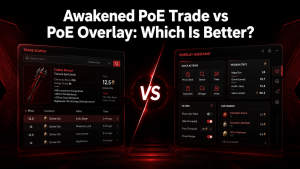
What Awakened PoE Trade is and who it’s for
Awakened PoE Trade on Linux can be installed and used with Path of Exile by configuring the application through compatibility tools such as Wine or Proton, depending on your setup. After installation, you’ll need to configure the required dependencies, set up hotkeys, and ensure the overlay works correctly with the game. If you encounter issues such as the overlay not appearing or price checks failing, they can usually be resolved by updating dependencies, adjusting permissions, or reviewing your Linux and Wine configuration.
This guide walks you through the complete installation, setup, and troubleshooting process for Awakened PoE Trade on Linux.
Awakened PoE Trade is useful for different types of Path of Exile players. New players can use it to learn item values and avoid selling valuable drops too cheaply, while experienced traders can use it to speed up buying, selling, and pricing decisions.
Awakened PoE Trade works as an information overlay rather than an automation tool. It provides trade data and search options but does not perform gameplay actions for the user, making it a practical companion for players who want a faster trading experience.
Key features and core functionality
Awakened PoE Trade provides several features that make item evaluation and trading faster in Path of Exile. Its main purpose is to give players quick access to market information while they continue playing.
The tool combines price checking, trade searches, and customizable controls into one lightweight overlay. These features help players make faster decisions when finding valuable items or preparing gear for sale.
Pricing overlay and trade-macro features
The pricing overlay is one of the main features of Awakened PoE Trade. Players can copy an item from Path of Exile and open the overlay to view estimated market prices, similar listings, and trade information.
The trade-macro system reduces the need to manually open websites and search item details. It helps users quickly compare values and understand whether an item is worth keeping, selling, or crafting further.
Players can also customize shortcut keys and search options to match their preferred workflow. This makes repeated price checks faster, especially during mapping, farming, and inventory management.
Saved searches, filters, and search workflows
Awakened PoE Trade allows users to create customized search workflows to speed up item evaluation. Saved searches and filters help players focus on specific item types, modifiers, and trade requirements.
These options are useful for players who frequently check similar items, such as crafting bases, unique items, or valuable gear. Custom filters reduce repeated manual searches and make the trading process more efficient.
Installation options
Awakened PoE Trade can be installed through different methods depending on the user’s operating system and preferences. Most users can choose a ready-to-use release, while advanced users may prefer package managers or building the application manually.
Download and install from GitHub releases (Web)
The most common installation method is downloading the application from official release pages. Users can select the correct package for their operating system, extract the files, and run the application.
Using official releases helps ensure that users receive the latest stable version with security updates and compatibility improvements.
Install from Arch Linux AUR: awakened-poe-trade-git (Web)
Linux users can install Awakened PoE Trade through community package systems such as the Arch User Repository (AUR). The AUR package provides a convenient way to manage installation and updates.
Users should follow package instructions carefully and ensure their system dependencies are properly installed before running the application.
Build from source: prerequisites and basic commands
Advanced users can build Awakened PoE Trade from its source code. This method requires development tools, required dependencies, and basic command-line knowledge.
Building from source allows users to access the latest changes and customize the application when needed.
Dependencies and system requirements
Before installation, users should ensure their system meets the basic requirements for running Awakened PoE Trade. This includes a supported operating system, required runtime components, and proper permissions.
Keeping system components updated helps prevent compatibility problems and improves overall stability.
First-time setup and configuration
After installation, the first-time setup process prepares Awakened PoE Trade for regular use. Users need to configure basic settings, connect the tool with their Path of Exile workflow, and adjust preferences.
Initial launch, linking to Path of Exile, and permissions
When launching Awakened PoE Trade for the first time, users should review the application settings and confirm that it works correctly with Path of Exile.
Permissions may need to be adjusted if the overlay does not appear or keyboard shortcuts do not respond. Running the application with suitable permissions can help resolve these issues.
Configure saved searches and quick filters (image)
Saved searches and quick filters allow users to speed up item searches by keeping commonly used settings available. Players can create filters based on item types, modifiers, and trade preferences.
These configurations reduce repeated setup work and make price checking faster during gameplay.
Overlay setup and positioning (image)
The overlay position can be adjusted to fit different screen layouts and personal preferences. Users can move the interface to avoid blocking important game information.
Proper positioning improves visibility and creates a smoother experience while checking items during active gameplay.
Using the tool day-to-day
Awakened PoE Trade is designed to simplify daily trading tasks in Path of Exile. After setup, players can quickly check item values, search trade listings, and manage pricing decisions without interrupting gameplay.
A consistent workflow helps users get the most value from the tool while farming, crafting, or preparing items for sale.
Main UI walkthrough and common workflows
The main interface provides access to item searches, pricing information, and configuration options. Users can navigate through search results, compare listings, and adjust settings based on their trading needs.
Common workflows include copying an item from the game, opening the overlay, reviewing market data, and deciding whether to keep, sell, or modify the item.
Using the pricing overlay while trading
The pricing overlay allows players to check item values directly while playing Path of Exile. By copying item information, users can quickly view similar listings and estimate the current market value.
This feature is especially useful during mapping sessions because players can evaluate drops without switching between the game and external trade websites.
Hotkeys, shortcuts, and recommended settings
Custom hotkeys make it faster to access Awakened PoE Trade features. Players can assign shortcuts that match their preferred workflow and avoid conflicts with other applications.
Recommended settings include choosing comfortable key combinations, adjusting overlay placement, and keeping commonly used search options easily accessible.
Running on Linux, Wayland, and multi-monitor setups
Awakened PoE Trade can be used on Awakened PoE Trade on Linux systems, but compatibility may depend on the desktop environment, display server, and system configuration.
Users running advanced setups such as Wayland or multiple monitors may need additional adjustments to ensure the overlay displays correctly.
X11 vs Wayland: compatibility notes and common limitations
X11 generally provides broader compatibility for overlays and input handling, while Wayland introduces additional security restrictions that may affect overlay applications.
Some users may experience differences in window positioning, keyboard shortcuts, or overlay visibility depending on their display system.
Tips for Wayland (Nobara) and multi-monitor overlay issues
For Wayland systems, users may need to adjust display permissions, compositor settings, or application configurations. Multi-monitor setups can also affect overlay placement and scaling.
Testing different display configurations and adjusting monitor settings can help improve reliability.
Troubleshooting compositor and permission problems
Compositor settings and permission restrictions can prevent the overlay from appearing correctly. Checking application permissions and reviewing desktop environment settings can help resolve these issues.
Restarting the application after configuration changes is often required for new settings to take effect.
Updating, releases, and changelogs (Web)
Keeping Awakened PoE Trade updated helps maintain compatibility with Path of Exile changes and provides access to bug fixes and improvements.
Regular updates are especially important after major game patches because trade systems and item data can change.
How to update safely and follow release notes (Web)
Users should update Awakened PoE Trade through trusted release sources. Reviewing release notes helps understand new features, fixes, and possible changes before installing an update.
Backing up custom settings before major updates can help prevent the loss of preferred configurations.
Development, repository structure, and contributing
Awakened PoE Trade is supported by community development and contributions. Users with programming experience can explore the project structure, suggest improvements, or contribute changes.
Understanding the development workflow helps contributors participate more effectively.
Repository layout and build/development workflow (image)
The repository contains the source files, configuration files, and resources required to build and maintain the application. Developers can review the structure to understand how different components work together.
The development workflow usually includes preparing dependencies, making changes, testing features, and reviewing updates before release.
How to report issues, submit PRs, and run tests
Users can report bugs by providing clear details about the problem, system environment, and steps to reproduce the issue. Detailed reports help developers identify and fix problems faster.
Contributors can submit pull requests with improvements after following project guidelines and testing their changes.
Acknowledgments, contributors, and sponsorship
Open-source projects rely on community support, including developers, testers, and users who provide feedback. Contributors help improve stability, add features, and maintain compatibility.
Support from the community allows Awakened PoE Trade to continue improving over time.
Troubleshooting and common fixes
Most Awakened PoE Trade issues can be solved by checking configuration settings, updating the application, and reviewing system compatibility.
Understanding common problems helps users restore normal functionality quickly.
Frequent error messages and step-by-step fixes
Common issues include missing overlays, failed price searches, hotkey problems, and launch errors. Checking settings, restarting the tool, and confirming the correct league configuration can often resolve these problems.
If the issue continues, reviewing logs and community resources can provide additional solutions.
AUR/build failures and reading package comments (Web)
Linux users installing through AUR or building from source may encounter dependency or package errors. Reading package comments and build messages can help identify missing requirements.
Updating system packages and confirming dependencies are installed can improve installation success.
Resources and useful links (Web)
Users can find additional information on official project pages, in documentation, and through community resources. These sources provide installation help, updates, and troubleshooting guidance.
Official repository, release page, AUR package, and documentation (Web)
Official repositories and release pages provide the latest versions, installation files, and update information. Linux users can also use package resources such as AUR when available.
Documentation and community guides help users understand configuration options, advanced features, and common fixes.
FAQs:
Does Awakened PoE Trade work on Linux?
Yes, Awakened PoE Trade can work on Linux systems, but compatibility depends on the desktop environment, display server, and system configuration. Users may need to adjust permissions, install dependencies, or configure their display settings for the overlay to work correctly.
How do I install Awakened PoE Trade on Linux?
Linux users can install Awakened PoE Trade through different methods, including package systems like AUR on Arch-based distributions or by downloading available releases. Advanced users can also build the application from source if they have the required development tools and dependencies installed.
Does Awakened PoE Trade support Wayland?
Awakened PoE Trade may have limitations when running on Wayland because of its stricter security model for overlays and input handling. Some users may experience issues with overlay visibility, positioning, or hotkeys. Using compatible settings or adjusting compositor options can help improve the experience.
Is Awakened PoE Trade better on X11 or Wayland?
Awakened PoE Trade generally has broader compatibility with X11 because traditional overlays and input handling work more easily. Wayland users may need additional configuration depending on their desktop environment. The best choice depends on the Linux setup and the user’s preferred workflow.
Can I use Awakened PoE Trade on multiple monitors in Linux?
Yes, but multi-monitor setups may require extra configuration. Overlay placement, scaling differences, and display settings can affect how the tool appears. Adjusting monitor settings and repositioning the overlay can help create a smoother experience.
Why is Awakened PoE Trade not showing an overlay on Linux?
Overlay problems can occur due to permission issues, display server limitations, compositor settings, or incorrect configuration. Users should check whether the application is running, confirm system compatibility, and review display settings to identify the cause.
Conclusion:
Awakened PoE Trade provides Linux users with a convenient way to manage Path of Exile trading by offering quick price checks, market searches, and an in-game overlay experience. While the setup process may require additional configuration compared with Windows, it can work effectively with the right environment settings.
Linux users should pay attention to display systems, especially differences between X11 and Wayland, because they can affect overlay behavior and keyboard shortcuts. Choosing compatible settings and keeping the application updated helps maintain a smoother workflow.
For players who actively trade, craft, or evaluate items in Path of Exile, Awakened PoE Trade remains a useful tool on Linux. With proper installation and troubleshooting, it can become a reliable part of the trading setup.
Latest Post: