What PoE Overlay does
PoE Overlay is a trading assistant tool designed to make Path of Exile trading faster and more convenient. It provides players with access to item pricing information, trade searches, and useful market data without requiring them to constantly switch between the game and external websites.
The main purpose of PoE Overlay is to simplify the evaluation process. Players can check the estimated value of equipment, compare similar listings, and make better decisions when selling or purchasing items.
The tool works by analyzing item information from Path of Exile and connecting it with available trade data. This allows users to quickly understand whether an item has value, what price range it may belong to, and how it compares with similar market listings.
PoE Overlay is especially useful because Path of Exile has a complex economy where item value depends on many factors, including modifiers, rarity, item rolls, and current league demand. Instead of manually searching every item, players can use the overlay to get information within seconds.
The tool is commonly used by players who trade frequently, manage large inventories, craft items, or want to improve their understanding of the game’s economy. New players can use it to learn the basics of pricing, while experienced traders can use it to speed up daily trading tasks.
PoE Overlay does not replace player decisions or automate gameplay. It serves as an information assistant, providing market details and helping users create a more efficient trading workflow.
Core components: price check, stash tracker, market, service board
PoE Overlay includes several core components that work together to improve the Path of Exile trading experience. Each feature focuses on reducing manual work and helping players access important information faster.
The price check system is one of the main features. It allows players to evaluate item values by comparing their equipment with current market listings. This helps users understand whether an item is worth selling, keeping, or using for upgrades.
The stash tracker helps players monitor stored items and organize their inventory more efficiently. It can reduce the time spent manually searching through stash tabs when managing valuable items.
Market tools provide additional trading information by helping users review prices, listings, and market trends. These features are useful for players who regularly buy, sell, or compare items.
The service board supports players who offer or search for in-game services. It creates an easier way to connect with other players and manage service-related activities.
How the overlay integrates with Path of Exile and trade sites
PoE Overlay connects the in-game environment with external trade information to provide a smoother workflow. When players interact with items inside Path of Exile, the overlay can display useful information without requiring them to leave the game.
The tool reads item details and uses trade-related data to provide pricing information and search results. This connection helps players compare items quickly and make informed decisions.
By combining game data with trade site information, PoE Overlay reduces the need for repeated manual searches and streamlines the trading process.
Key features
PoE Overlay provides multiple features that help players manage trading activities more effectively. Its tools are designed to improve speed, organization, and accessibility while playing Path of Exile.
Overlay interface and in-game HUD
The PoE Overlay interface provides quick access to trading tools directly inside the game. The in-game HUD displays important information while allowing players to continue playing without switching between multiple windows.
Users can customize the overlay’s position, appearance, and available options to suit their preferences. A properly configured interface speeds up price checks and trade searches during active gameplay.
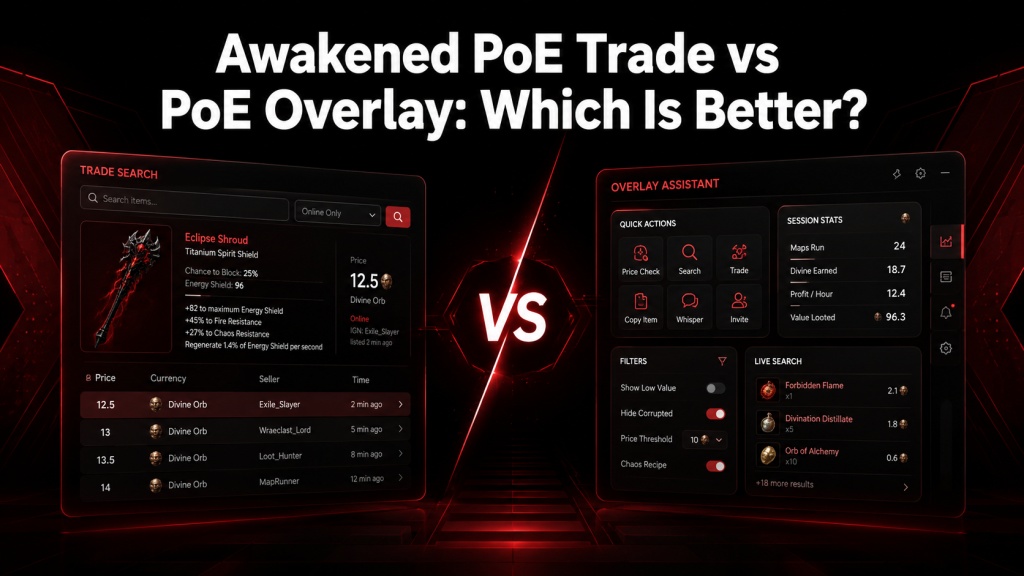
The overlay image can highlight important sections such as item information, search results, price details, and shortcut controls.
Stash Tracker: automatic scanning and organization
The Stash Tracker feature helps players monitor and organize items stored in their stash.
It allows users to track valuable items, manage inventory, and streamline their trading workflow. This is especially useful for players who collect large amounts of loot during farming sessions.
The feature image can demonstrate how stash information is displayed, organized, and accessed through the overlay.
Market tools and Market History
Market tools help players understand item values by providing access to pricing information and historical market data.
Market History can show changes in item prices over time, helping users identify trends and make better trading decisions.
These features are useful for players who want to compare current prices with previous market behavior before completing important trades.
Installation and setup
Installing PoE Overlay correctly ensures that all features, including overlays, price checks, and shortcuts, work properly.
Users should choose the installation method that best fits their needs and complete the first-time configuration before using the tool.
Choose an install method: Overwolf vs Standalone
PoE Overlay can be installed through different methods depending on user preference.
The Overwolf version provides a managed installation experience and can simplify updates. It is useful for users who prefer handling the application through a dedicated platform.
The standalone option provides a more direct installation approach and may appeal to users who prefer fewer additional applications running in the background.
Both methods can provide access to the main features, but users should choose the option that matches their preferred workflow.
Step-by-step installation checklist and first-run setup
After choosing an installation method, download the application from a trusted source and complete the setup process.
During the first launch, users should configure important settings such as:
- Path of Exile connection
- Overlay position
- Hotkeys
- Trading preferences
Testing the overlay with the game running helps confirm that everything is configured correctly.
Required permissions, game settings, and troubleshooting checklist
PoE Overlay may require certain permissions to display information correctly and communicate with game-related features.
Users should check:
- Application permissions
- Firewall settings
- Antivirus exceptions
- Game display mode
If the overlay does not work properly, reviewing these settings is often the first step toward resolving problems.
Using market and trading tools
PoE Overlay provides several features that help players perform trading tasks more efficiently.
Understanding how to use pricing tools correctly improves accuracy and reduces mistakes when buying or selling items.
How to perform a reliable price check (Web)
A reliable price check requires more than looking at a single result. Players should compare similar listings and consider important item details before deciding on a value.
The process usually involves selecting an item, reviewing matching listings, and analyzing the available market information.
Users should consider modifiers, item rolls, demand, and league conditions because these factors can significantly affect prices.
Interpreting price sources, currency types, and confidence levels
Price results should be viewed as estimates rather than fixed values.
Different currencies, listing conditions, and market changes can affect the final value of an item.
Understanding the source of pricing information helps users make better decisions and avoid relying on inaccurate comparisons.
Using the Service Board to find and post services
The Service Board helps players connect with others who provide or request in-game services.
Users can search available services, review details, and participate in service-based trading activities.
Clear communication and checking service details help create safer and smoother interactions.
Troubleshooting common issues
Although PoE Overlay is designed to work smoothly, users may encounter issues with overlays, shortcuts, connections, or system settings.
Most problems can be resolved by checking permissions, updating software, and reviewing configuration options.
Overlay not appearing or failing to attach to the game
If the overlay does not appear, check whether the application is running correctly and whether it has permission to interact with the game.
Common causes include incorrect display settings, blocked permissions, or conflicts with other overlay applications.
Restarting both the game and the overlay application can often restore normal functionality.
Hotkeys and shortcuts not working (e.g., Shift + Space)
Shortcut problems usually occur because of conflicts with other applications or incorrect configuration.
Check that the selected hotkeys are not already used by Path of Exile, Windows shortcuts, or other background tools.
Changing the shortcut combination and restarting the application can help restore normal behavior.
Browser integration and trade site communication problems
Some features may depend on communication between the overlay and external trade websites.
If these functions fail, check internet connectivity, browser settings, and whether security software is blocking communication.
Updating the application and reviewing permissions can also help resolve connection problems.
Conflicts with security software, overlays, or graphics drivers
Security software and other gaming overlays can sometimes interfere with PoE Overlay.
Applications such as recording tools, performance monitors, or other overlays may create conflicts.
Updating graphics drivers and adjusting security settings can improve compatibility.
When to reinstall, switch install methods, or submit a bug report
Reinstallation may be necessary when files become corrupted or configuration problems cannot be resolved.
Switching between installation methods can also help identify whether the issue is related to the installation environment.
If problems continue, submitting a detailed bug report with logs and system information can help developers investigate.
Overlay updates, versioning, and changelogs (Web)
Keeping PoE Overlay updated ensures better compatibility with Path of Exile changes.
Release notes and changelogs provide information about fixes, improvements, and new features included in each update.
Reviewing update information helps users understand changes before installing new versions.
Where to get help: community channels, issue trackers, and logs
Users can find support through community discussions, issue trackers, and available documentation.
When requesting help, provide useful details such as the application version, operating system, error messages, and logs.
Clear information makes troubleshooting faster and more effective.
Best practices and tips
Using PoE Overlay efficiently requires proper configuration and good trading habits.
A well-organized setup improves accuracy, performance, and overall user experience.
Configure stash layout and filters for accurate tracking
Organizing stash tabs and using suitable filters helps improve tracking accuracy.
Players should maintain a consistent inventory structure and review settings regularly.
A cleaner stash organization makes it easier to identify valuable items and manage trading activities.
Safe, efficient trading workflows with the overlay
Players should use the overlay as a decision-support tool rather than relying on automatic assumptions.
Comparing multiple listings, checking item details, and confirming trade information helps avoid mistakes.
A consistent workflow improves both speed and accuracy during trading.
Performance tuning and UI customization for minimal impact
Users can adjust interface settings to reduce distractions and maintain smooth gameplay.
Customizing overlay placement, disabling unnecessary features, and optimizing display settings can improve performance.
A balanced configuration provides useful trading information while keeping gameplay comfortable.
Conclusion
PoE Overlay is a useful trading companion for Path of Exile players who want faster access to market information, item prices, and inventory management tools. Its overlay system, price checking features, stash tracking, and market tools help simplify many tasks that normally require manual searching.
The tool is especially valuable for players who regularly trade, manage large inventories, or want to better understand the game’s economy. By providing key information directly during gameplay, PoE Overlay helps users make quicker, more informed trading decisions.
A proper setup, regular updates, and careful configuration can improve the overall experience. Players should keep the application updated, use trusted sources, and adjust settings according to their workflow for the best results.
Whether you are a new player learning item values or an experienced trader managing complex transactions, Awakened Poe Trade Overlay can make Path of Exile trading more efficient and organized.
FAQs
What is PoE Overlay used for?
PoE Overlay is used to improve the Path of Exile trading experience by providing price checks, market information, item searches, and in-game overlay features. It helps players quickly evaluate items, compare listings, and make better decisions without constantly switching between the game and external websites.
Is PoE Overlay safe to use?
PoE Overlay is generally safe when downloaded from trusted sources. It serves as a trading assistant, providing information via an overlay rather than automating gameplay actions. Users should avoid unofficial downloads and keep the application updated to maintain security and compatibility.
How does PoE Overlay check item prices?
PoE Overlay analyzes item information from Path of Exile and compares it with available market data. It considers item properties, modifiers, and current listings to estimate a value. Players should still review multiple results because market prices can change depending on demand and league conditions.
Why is my PoE Overlay not showing?
If the overlay does not appear, the issue may be related to permissions, display settings, antivirus blocking, or conflicts with other overlay applications. Restarting the game and the application, checking firewall settings, and running the tool with proper permissions can often resolve the issue.
Can beginners use PoE Overlay?
Yes, beginners can use PoE Overlay to learn item values and understand Path of Exile’s trading system. The tool makes it easier to identify valuable items, compare prices, and avoid selling useful equipment for less than its actual market value.
Does PoE Overlay work with all versions of Path of Exile?
Compatibility depends on the current game version and application updates. Players should check for the latest PoE Overlay version after major Path of Exile updates to ensure that pricing tools, overlays, and other features continue working correctly.
How can I improve PoE Overlay performance?
Users can improve performance by adjusting overlay settings, reducing unnecessary features, updating drivers, and closing conflicting background applications. Proper UI customization and optimized display settings can help maintain smooth gameplay while using trading tools.
Latest Post: